Fig. 01 — Corrected to July 2026

Beyond the Steel.

Behind every safe voyage.

A single platform for every inspection, audit and KPI your fleet produces — built on one belief: a safe ship is the product of its people, not just its paperwork.

See the platform every inspection, audit and KPI, one datum
20+
Records, one data model
4
AI tools per record
0
Spreadsheets required
● LIVE — PULSE FLEET INTELLIGENCE
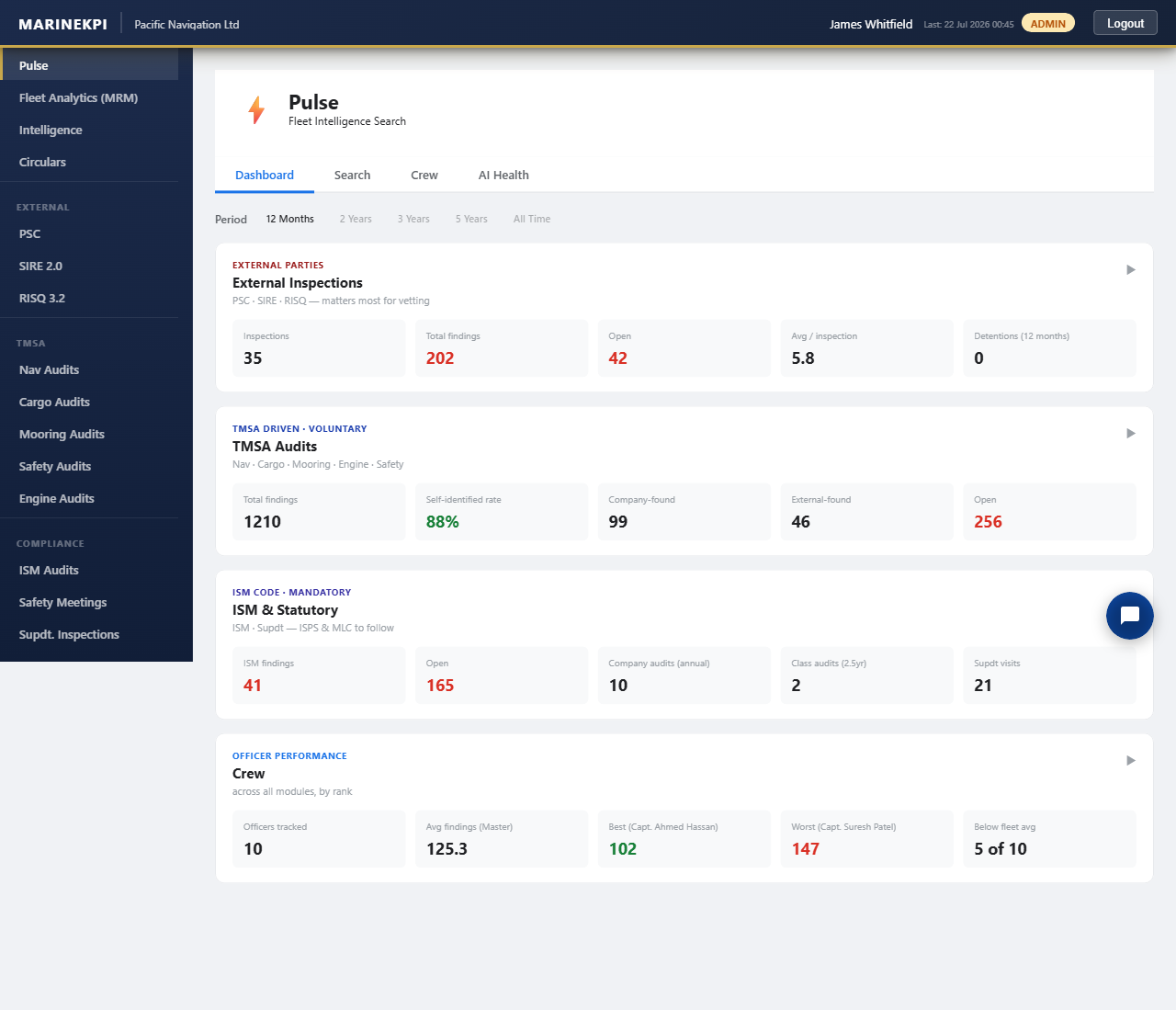
Pulse AI fleet intelligence dashboard, live from the running app

↑ the paper log's replacement, running live
Log Entry

The shipping industry is great at tracking deficiencies and closing findings. But safety isn't just about the absence of failures — it's about the presence of the right behaviours. MarineKPI connects every near-miss, inspection result and KPI into a picture of human and organisational performance, so patterns are visible before they become incidents, and management leads a culture rather than manages a checklist.

↳ Behavioural Insight

Understanding the "why" behind every data point to identify root causes, not just symptoms.

↳ Crew Involvement

Empowering crews to be part of the solution, not just subjects of oversight and inspection.

↳ Long-Term Solutions

Building a just culture where reporting leads to learning and systematic improvement.

The Logic

— one workflow, reused everywhere

Every audit and inspection type — PSC, SIRE, RISQ, all six TMSA practice audits, ISM, ISPS, MLC — runs through the same lifecycle. Learn it once on any record and you already know the rest.

01
Capture, don't prescribe
Records what your inspectors actually observe — it doesn't hand your crew a generic checklist of how to run an inspection.
02
Ship raises, office closes
A consistent draft → issue → respond → close loop means every finding has a clear owner and a visible trail.
03
Fleet-wide, then focused
Every record rolls into cross-fleet analytics, so superintendents know exactly where to spend their next visit.
1
Draft
Private to author
2
Issued
Visible fleet-wide
3
Open finding
Ship responds
4
Responded
Office reviews
5
Closed
Signed off

🔒 Drafts stay private to whoever wrote them — not even an admin sees another user's unfinished report until it's issued.

Legend

— an AI copilot built into every text box, not a bolted-on chatbot

Four focused tools sit inside the forms your crew already fills in, turning rushed notes into clean, submittable records without ever leaving the page.

Translate
Findings written in Hinglish or mixed language, turned into clear maritime English before they reach the office.
Enhance
Rewrites rough field notes into professional audit language, without inventing facts or citations that weren't there.
Suggest
Reads the finding and auto-classifies it against the record's real taxonomy, then drafts the corrective action.
Vessel Chat
A standing channel between ship and office, translating each message into whatever language the reader prefers.
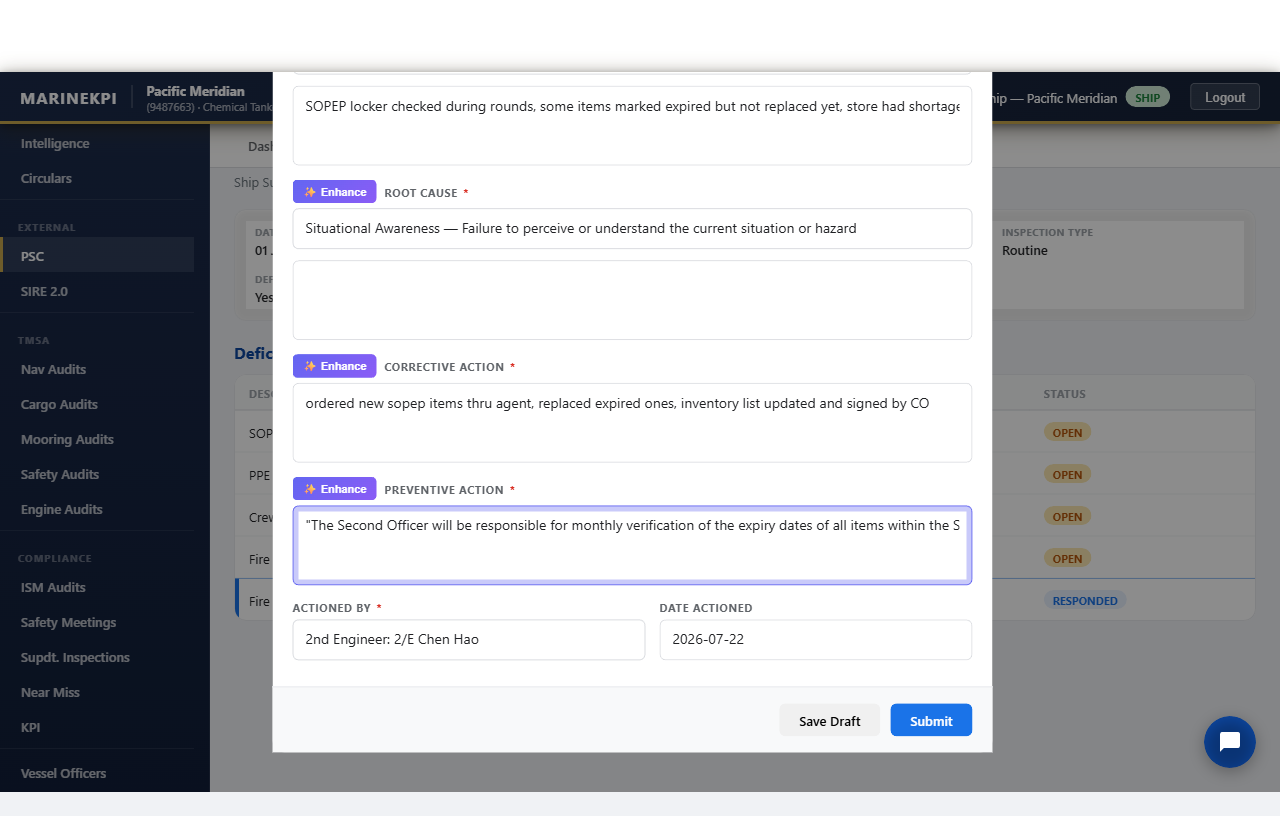
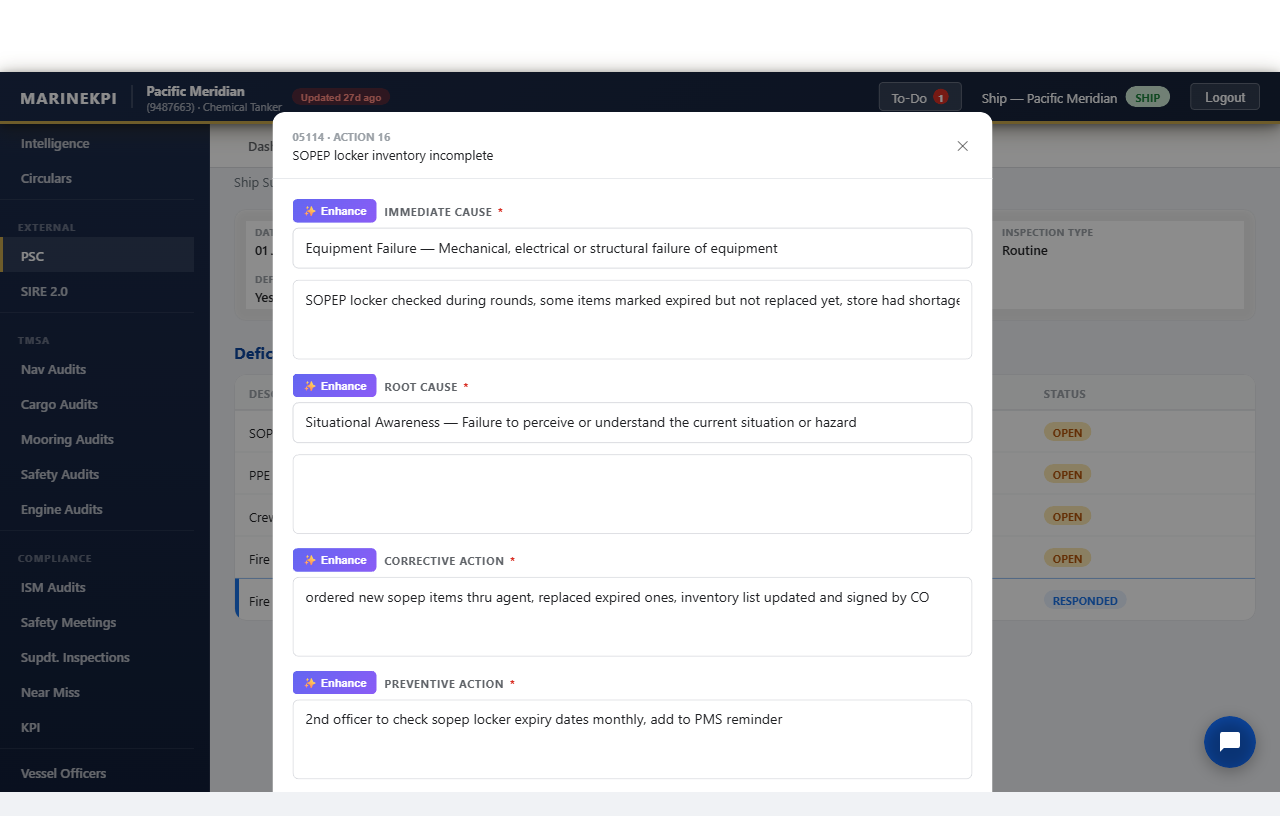
marinekpi.com — PSC deficiency, corrective action field ▶ 0:09
Officer's rough notes in the deficiency form
1 · OFFICER'S ROUGH NOTE
AI-enhanced clear English result
2 · ENHANCED — SAME FACTS
Finding surfaced in Pulse fleet intelligence
3 · SURFACED FLEET-WIDE IN PULSE

↑ hover to watch it work — real screenshots, no video file

Chart Index

— every inspection, audit and KPI, one legend

Start with a category below, then step into the full platform to click through every record with real screenshots.

A1Pulse — AI Fleet Intelligence
A2Objectives
A3Intelligence
A4Circulars
B1PSC Inspections
B2SIRE 2.0 Inspections
B3RISQ Inspections
C1Near Miss Reporting
C2KPI Monitoring
C3Safety Meetings
D1Navigation Audits
D2VDR Audits
D3Cargo Audits
D4Mooring Audits
D5Engine & Bunker Audits
D6Safety Audits
D7Supdt. Inspections
D8ISM Audits
D9ISPS Audits
D10MLC Audits
Open the full chart index click into any record, see real screenshots, try the live AI demo

Chart Key

— access & security, enforced at the database, not just the UI
Admin — Company-wide
Full access across their own company's fleet — every vessel, every record their company has enabled.
Office PIC — Assigned vessels
Person-in-charge view scoped to the specific vessels assigned to them — their fleet, not the whole company.
Ship — Single vessel
Crew see their own vessel's data. On cross-fleet views, other vessels are anonymized rather than hidden outright.
Request a walkthrough